Xcode
Now I’m using Xcode as my C++ IDE.
set more header path.
IDE would search this path for header files.
Add more path to header search path.

PS: You should set both TARGET and PROJECT.
Compiling and Linking would read TAEGET settings. PROJECT settings would help when coding and jumping source.
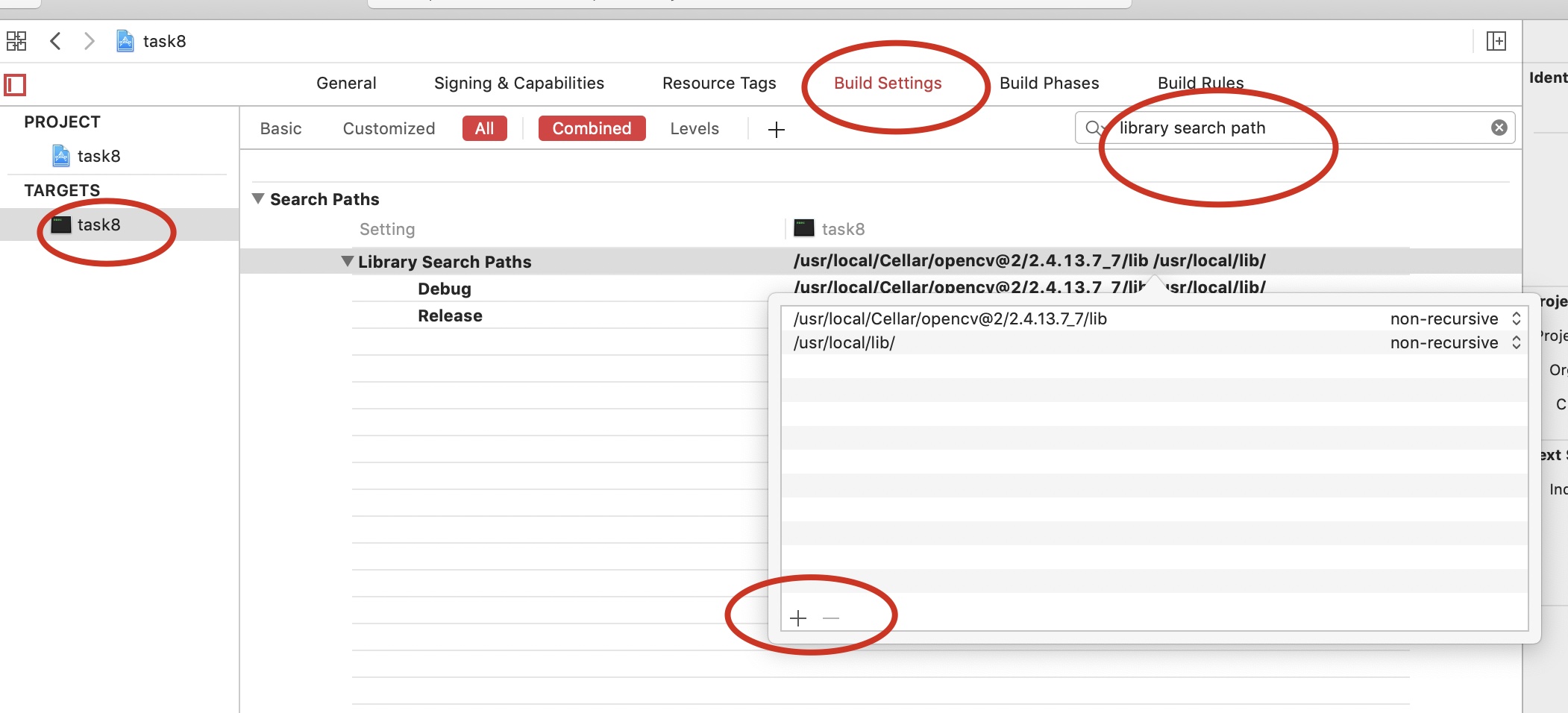
Add library search path.
The path contains dylib files.
Other linking
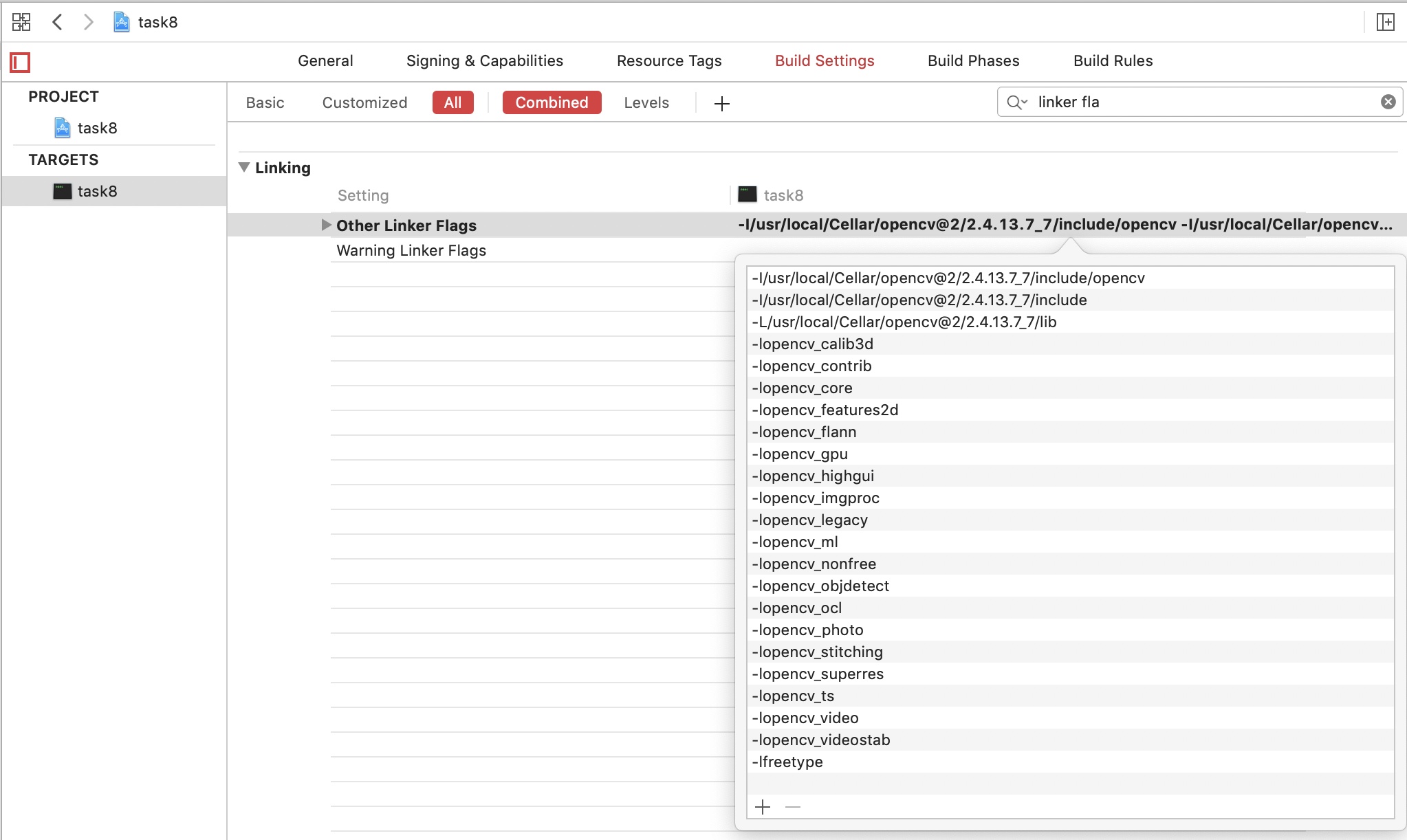
You can add multi linkers by adding once, just click + and input these
-I/usr/local/Cellar/opencv@2/2.4.13.7_7/include/opencv -I/usr/local/Cellar/opencv@2/2.4.13.7_7/include -L/usr/local/Cellar/opencv@2/2.4.13.7_7/lib -lopencv_calib3d -lopencv_contrib -lopencv_core -lopencv_features2d -lopencv_flann -lopencv_gpu -lopencv_highgui -lopencv_imgproc -lopencv_legacy -lopencv_ml -lopencv_nonfree -lopencv_objdetect -lopencv_ocl -lopencv_photo -lopencv_stitching -lopencv_superres -lopencv_ts -lopencv_video -lopencv_videostab
- -I means path contains header file.
- -L means path contains lib file.
- -l means which lib you need. (remove lib prefix and dylib extension)
And if you add lib in other linker flags, then no need to set in library search path